Structure elucidation#
The Elucidation page proposes molecular structures from the spectra you have recorded, and ranks them by how well each explains the evidence. It can solve for a single compound or resolve a mixture into its components.
Open it from the navigation sidebar, or from the Structure elucidation button in the spectrum tool sidebar.
Note
Elucidation is a licensed feature. If the button and the page are absent, your licence does not include it.

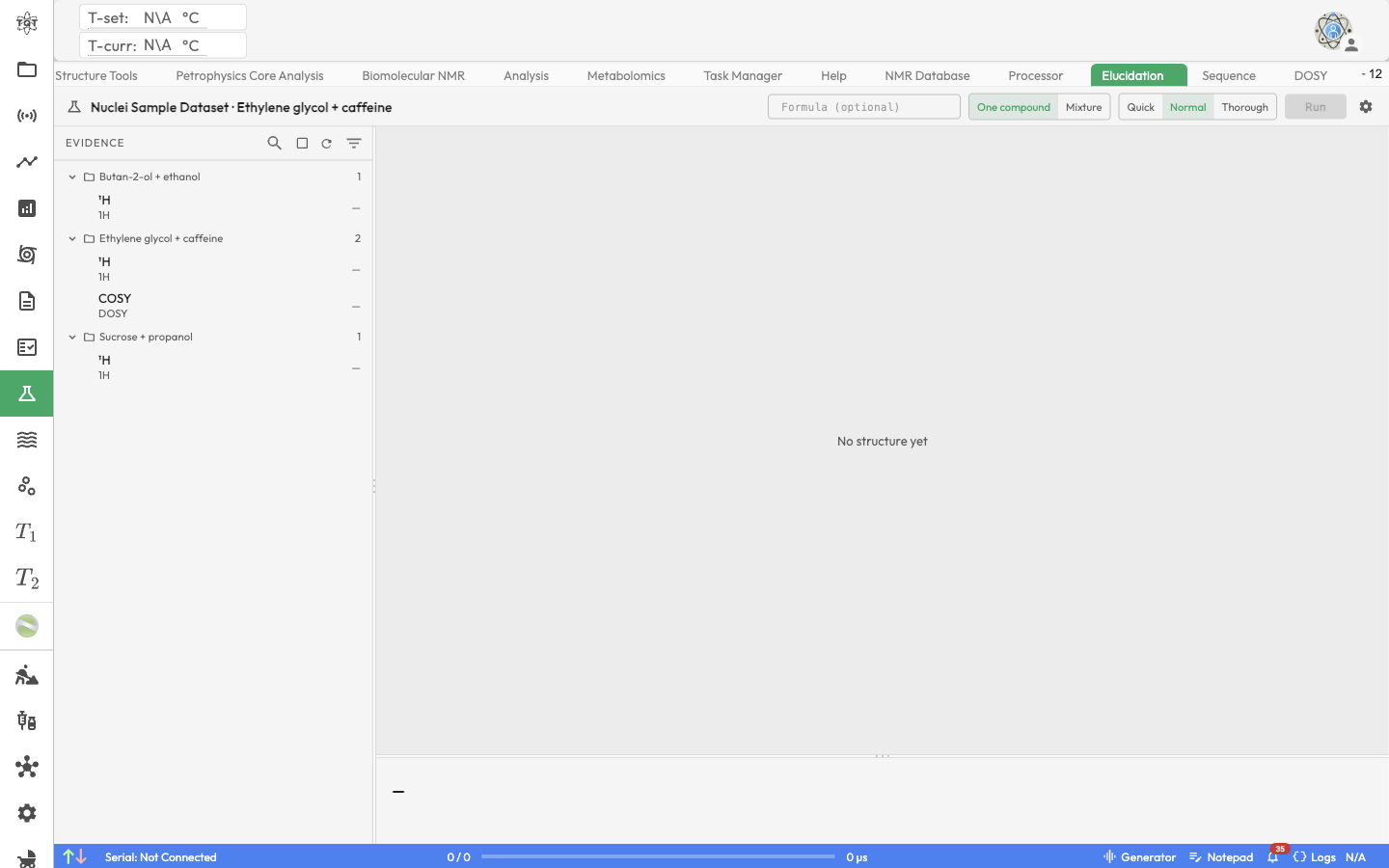
The evidence stays on the left while the answer is shown on the right.
Choosing the evidence#
The left rail lists every scan of the current sample, with the channel each one contributes — ¹H, ¹³C, HSQC, HMBC, COSY, TOCSY, DEPT. Tick the scans to solve from. Each one shows its peak count, and whether its evidence could be built. A single-compound run needs both a ¹H and a ¹³C scan selected; Run stays disabled and says which is missing, and the rail lists the channels the sample has no scan for.
Different channels answer different questions: HSQC gives H–C pairing, ¹³C reveals quaternary carbons, TOCSY delimits spin systems. The What the evidence cannot answer panel names the gaps in the selection you have made — no carbon spectrum, no correlation plane, a short proton list, carbons appearing in no correlation, aromatic carbons with no aromatic protons. Where an instrument is connected and can run the missing experiment, the page offers to build a sequence for it.
Warning
Folders normally separate samples within a project. If your selection spans several folders, the page warns you: two samples solved together describe neither.
Solving#
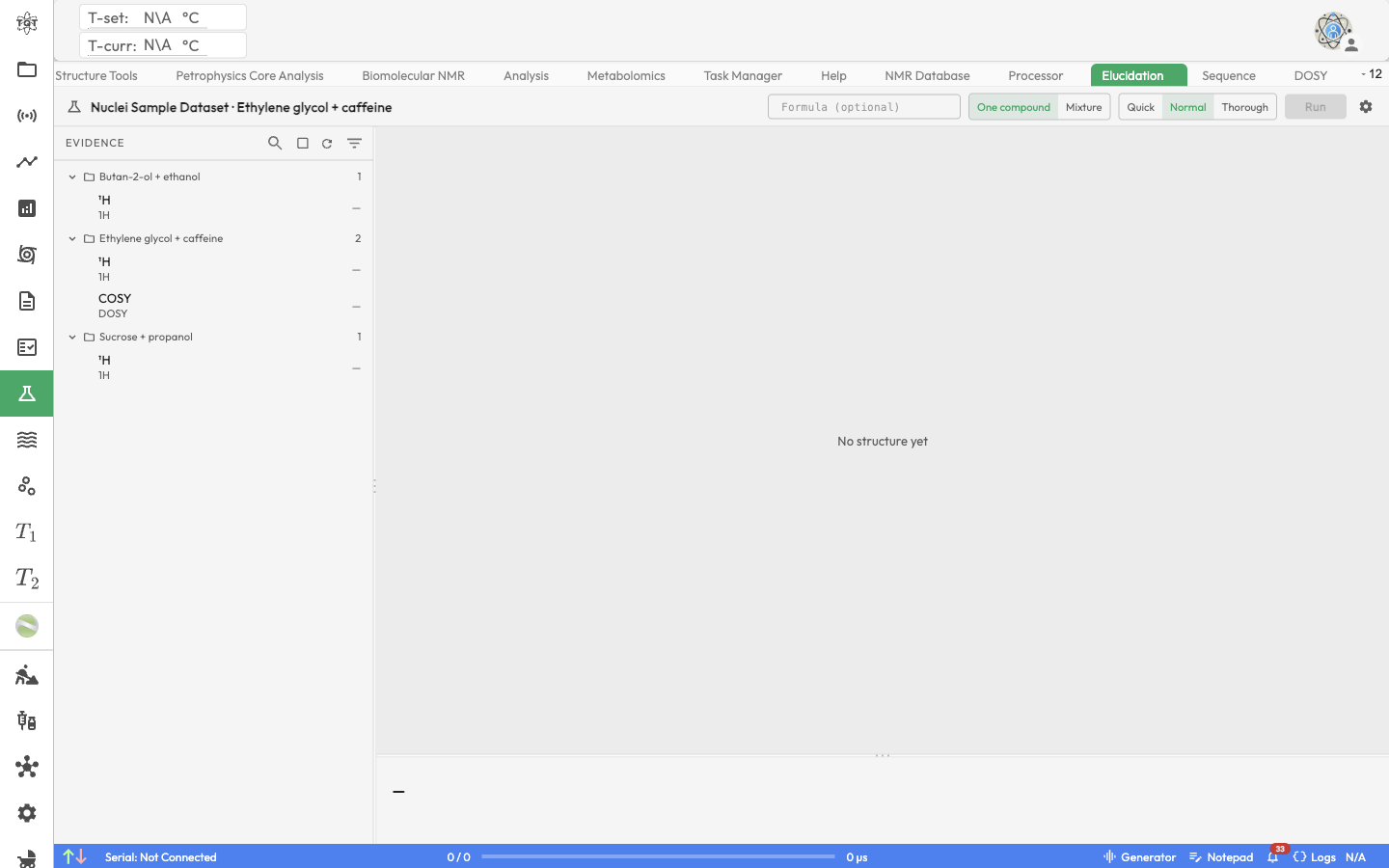
Choose the question first:
- One compound — elucidate a single structure from this evidence.
- Mixture — resolve the evidence into several compounds and their proportions.
Then set the effort — Quick, Normal or Thorough — and press Run. Each effort level shows the time it typically takes. While the search runs, the page reports the stage, the elapsed time and how many structures have been explored. You can stop it at any point; a run that hits the time limit says so rather than presenting a truncated search as a finished one.
Consult databases additionally proposes candidates from the compound databases enabled in Settings.
Search settings#
These are optional; the defaults are usable without touching them.
| Setting | What it does |
|---|---|
| Formula | Restricts the search to this molecular formula. Accepts C, H, N, O and S. If the sample records a compound, the page offers its formula here. |
| Offer halogens | Allows halogens in the proposed structures. Leave off unless expected. |
| Proton census slack | How far the proton count may differ from the count read off the spectrum. A count misses exchangeable and overlapped protons, so widening it is often right. |
| Formulas kept | How many candidate formulas are considered. More is not necessarily better. |
| Beam width | Search breadth: larger values explore more candidates and take longer. |
| Candidates returned | How many ranked alternatives are kept in the result. |
| Demote impossible structures | Ranks candidates with no feasible 3D geometry last instead of dropping them. |
The run reports how many candidates remain at each stage, and the final ranking.
Reading the answer#
The answer pane shows the winning structure with its confidence and where the candidate came from: a database, an assembled fragment set, the search itself, a pin, or a plugin. Once a structure has been scored against the evidence it also carries a verdict — Fits, Partial fit, Nothing fits. Click a channel row to see its predicted peaks against the measured ones; the table names the atoms each predicted peak comes from, and the drawing numbers the atoms to match. Show on spectrum colours the measured peaks the shown structure explains, and greys the ones it does not, on the plotted spectrum. Check a structure scores a structure you draw or import and lists it beside the ranked candidates. Export ranked candidates saves the run's list as CSV, as an SDF with the scores as data fields, or the shown structure's drawing as SVG. After a rerun, Compare with the previous run sets the two runs side by side (the previous run is kept only until you close the app). Cancelling a run keeps its best structure so far, marked as unfinished.
Three things are worth checking before accepting a structure:
- Unexplained peaks. Peaks the structure does not account for are listed explicitly. A good fit leaves few.
- The census. The predicted proton count is compared against the count measured or estimated from the spectrum.
- The bonds. Shaded bonds are uncertain. Hover one to see what share of the ranked candidates contain it. A disputed bond means the candidates disagree on where a fragment attaches, and the drawing shows the most common answer.
Where more than one hypothesis survives, the right-hand rail lists the alternatives ranked by log-likelihood. Select one to score it against the same evidence and see its per-channel breakdown.
Add to sample adds the accepted structure to the sample's analytes, where the rest of the app can use it; the edit can be undone.
Warning
If no candidate is consistent with the correlations, the page says so and shows the remaining candidates ranked instead. Treat that list as a starting point, not an answer.
Mixtures#
In mixture mode, tell the page how many compounds to resolve, or leave it on auto. You can supply a molecular formula for any component you already know; a formula constrains that component only.
There are three ways to resolve a mixture:
| Mode | What it does |
|---|---|
| Known | Works out which catalogued compounds, and in what proportion, add up to this spectrum. |
| De novo | Groups the peaks into molecules and elucidates each one, with no catalogue. |
| Both | Names what the catalogue knows, then elucidates whatever signal is left. |
The result reports each component, its abundance, whether it was matched against the catalogue or elucidated from its own peaks, and how much of the spectrum the components explain between them. Signal no component accounts for is reported separately as unexplained.
A component fitted noticeably off the reference is flagged — check the referencing, or expect matrix effects.